
Having a dependable and quick method of delivering information is important in the digital era. Text codes are unique shortcodes that make it simple and quick to communicate information.
These numbers are intended to pass data and facilitate communication. Individuals and organizations use them for many purposes. These purposes range from personal identification to commercial services like bill payment. They can also be used in gaming, depending on the code employed.
The 32665 code is one example of such a code. Let’s discuss the 32665 text code and what it means.
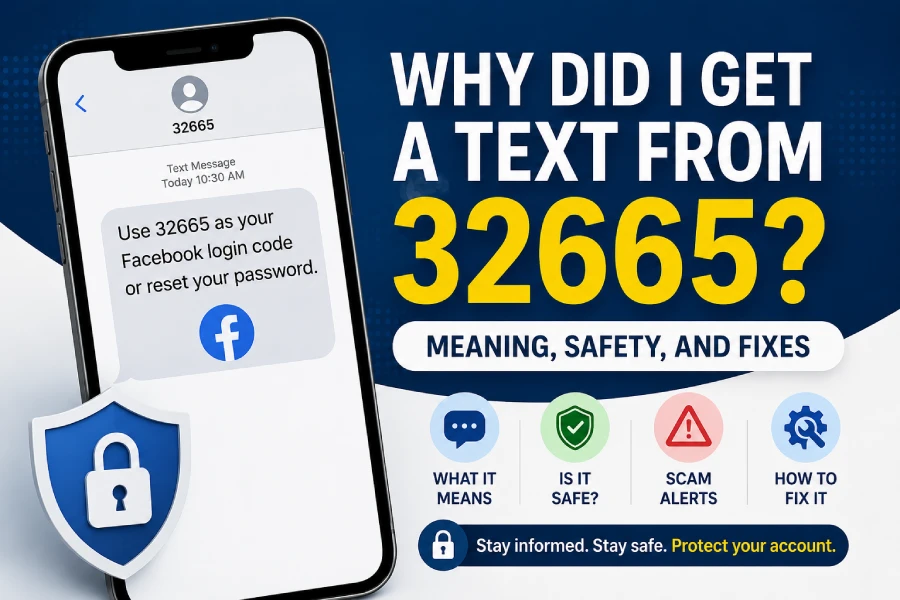
Table of Contents
What is 32665 text code?
The number spells FBOOK on the phone keypad. Facebook uses the 32665 text code to communicate actions associated with a user account. It also sends notifications linked to an account.
If you have Facebook SMS enabled, you can receive notifications by sending a text message to 32665.
When you receive a text message from 32665, it will most likely alert you about a new message. It can also notify you about a friend request or when you request a one-time password to reset your account password.
In some cases, the text message reminds you about a friend’s birthday.
If it is a reply to a comment, the text reply is inserted as a reply to the comment. When you reply, your response appears on the friend’s timeline.
Users could also use this number for certain Facebook SMS actions in the past.
Why did I receive a text message from 32665?
If you get a text from 32665, Facebook is trying to contact you for different reasons.
Usually, it lets you know about something concerning your account. This can include:
- New messages
- Friend requests
- Login attempts
- Password reset codes
- Security alerts
- Two-factor authentication codes
Sometimes, it may notify you about activity related to your account.
Facebook uses this code to notify account users about changes or login activity.
The same applies to sign-ins. Facebook may block a sign-in attempt and notify the account holder through a message. It can happen if someone tries to sign in from an unfamiliar device or location.
Although this is not always the case, some messages may also be connected to Instagram-related services because both platforms belong to Meta.
Common reasons for texts from 32665
Here are some common reasons why you may receive a message from 32665:
- Password reset requests
- Login verification codes
- Two-factor authentication messages
- Security notifications
- Friend requests
- Account recovery messages
- Facebook SMS notifications
Why am I getting 32665 codes without requesting them?
If you keep receiving verification codes from 32665 without requesting them, someone may be trying to access your account.
This usually happens because:
- Someone entered your number by mistake
- Someone is trying to reset your password
- Someone is trying to sign in to your account
- Old recovery requests are still active
If this keeps happening, change your password and review your security settings.
How to stop receiving texts from 32665
You may text the word “STOP” back to 32665 if you’d like to stop getting messages from it.
Doing this will usually stop future SMS messages. To be extra safe, you can also block the number from your phone settings. However, if you still want these SMS messages, you do not need to do anything.
You may also adjust Facebook notification settings if you receive too many messages. Open the Settings app on your phone. Then browse the “Notifications” or “Apps” section.
You can easily locate Facebook and modify notification settings from there.
You may disable app alerts or limit when they are delivered.
You should also consider removing your phone number from Facebook if you want to prevent texts from 32665.
After signing in, go to:
Settings & Privacy >> Settings >> Text Messaging Settings
Then click “Remove” next to your verified phone number.
What happens if you reply STOP to 32665?
Replying “STOP” usually disables future SMS notifications from Facebook.
However, this may also stop:
- Login verification texts
- Password reset codes
- Security alerts
- Two-factor authentication messages
If you rely on SMS verification, think carefully before disabling messages.
How to block text 32665
You may use the Facebook mobile app for Android and iPhone to reduce or block incoming notifications.
Open Facebook and tap the menu icon.
Go to:
Settings & Privacy >> Settings
Scroll down and select:
Notification Settings
Disable Email or SMS notifications for features you no longer need.
To block Facebook text alerts, turn off text message notifications.
You may also customize when SMS alerts are sent.
For example:
- Only for important events
- Only at certain times
- Not while logged into Facebook
Save changes after updating your settings.
Is a text from 32665 a scam?
No, a text message from 32665 is not automatically a scam. Facebook and Meta services commonly use this shortcode for account-related messages.
However, scammers sometimes use spoofing techniques. This can make messages appear like they came from the official number when they did not.
Scammers know users trust this number because Facebook and Instagram have used it before. Many fake messages try to steal Facebook account access.
Be careful if you receive messages asking you to click links or verify details unexpectedly.
How to tell if a 32665 text is fake
Watch for these warning signs:
- You did not request a password reset
- The message contains suspicious links
- It asks for passwords or codes
- The message creates panic or urgency
- The link does not open an official app or website
- You receive multiple unexpected codes
If you are unsure, open Facebook or Instagram directly instead of tapping links.
What should you do if someone is trying to access your Facebook account?
If you receive unexpected verification codes or password reset messages:
- Change your password immediately
- Turn on two-factor authentication
- Review recent login activity
- Remove unknown devices
- Never share verification codes
Quick action can help secure your account.
Is 32665 from Instagram?
The 32665 code is not officially an Instagram-only number. However, Instagram and Facebook belong to Meta.
Because of this, some Instagram-related verification messages may also use this shortcode.
If you receive password reset messages that you did not request, ignore them or report suspicious activity.
Keep in mind that you may need messages from 32665 if you reset your Instagram password later. Some mobile providers or spam filters automatically block 32665.
This may explain why you are not receiving verification messages.
Can you unblock 32665 later?
Yes. If you blocked 32665 before, you can usually unblock it from phone settings.
You may also need to contact your mobile carrier if messages still do not arrive.
This is important because blocking the number can stop password reset texts and security codes.
Conclusion
Receiving a text from 32665 is usually not a problem. In most cases, it is connected to Facebook or Meta account activity. If you no longer want these messages, reply with “STOP” or adjust notification settings.
Also, never click login links from unexpected messages. Most importantly, do not share verification codes with anyone. Doing so could put your account at risk.